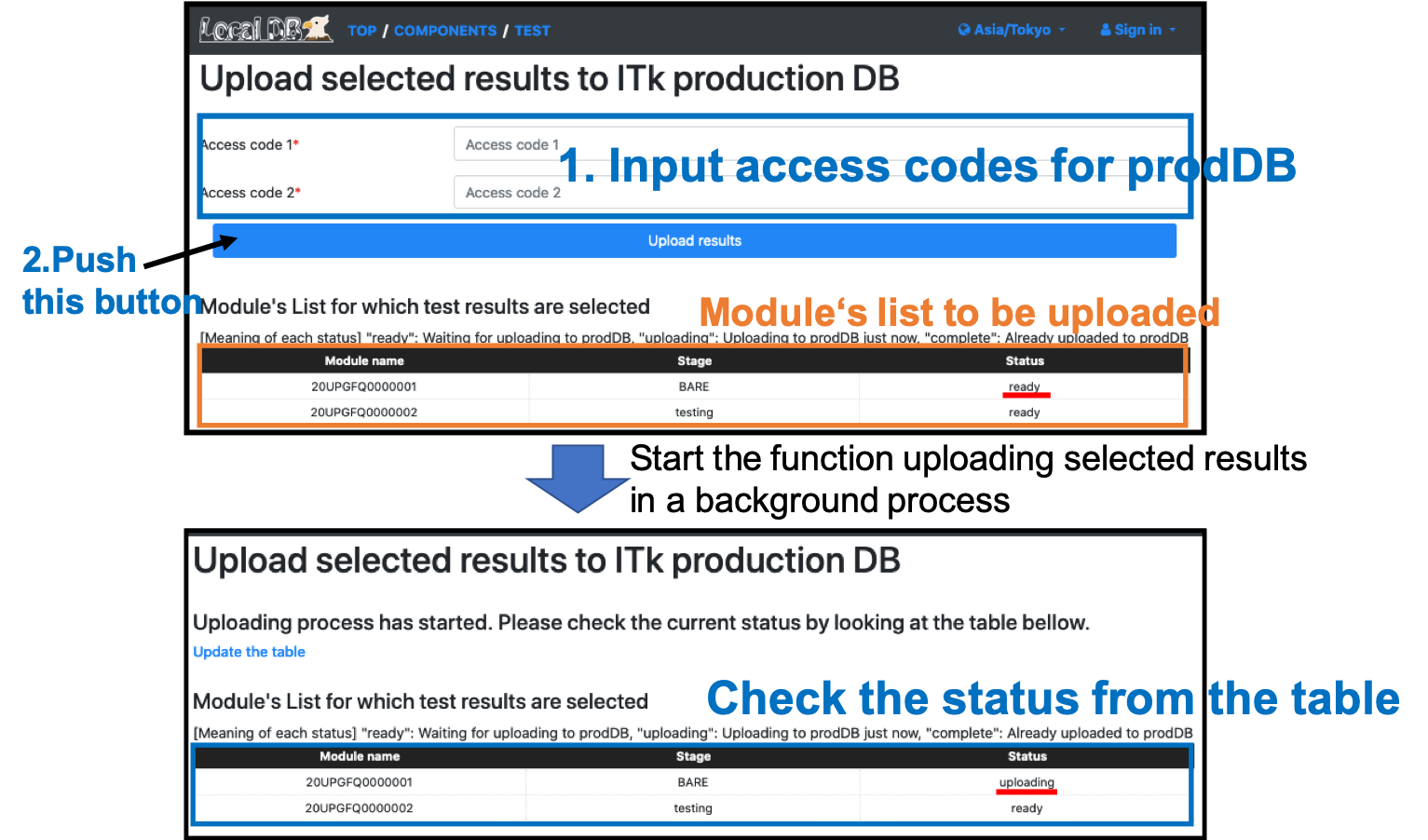
Upload selected results to Production DB.
This function currently doesn't work well due to the update of production DB. Please skip it
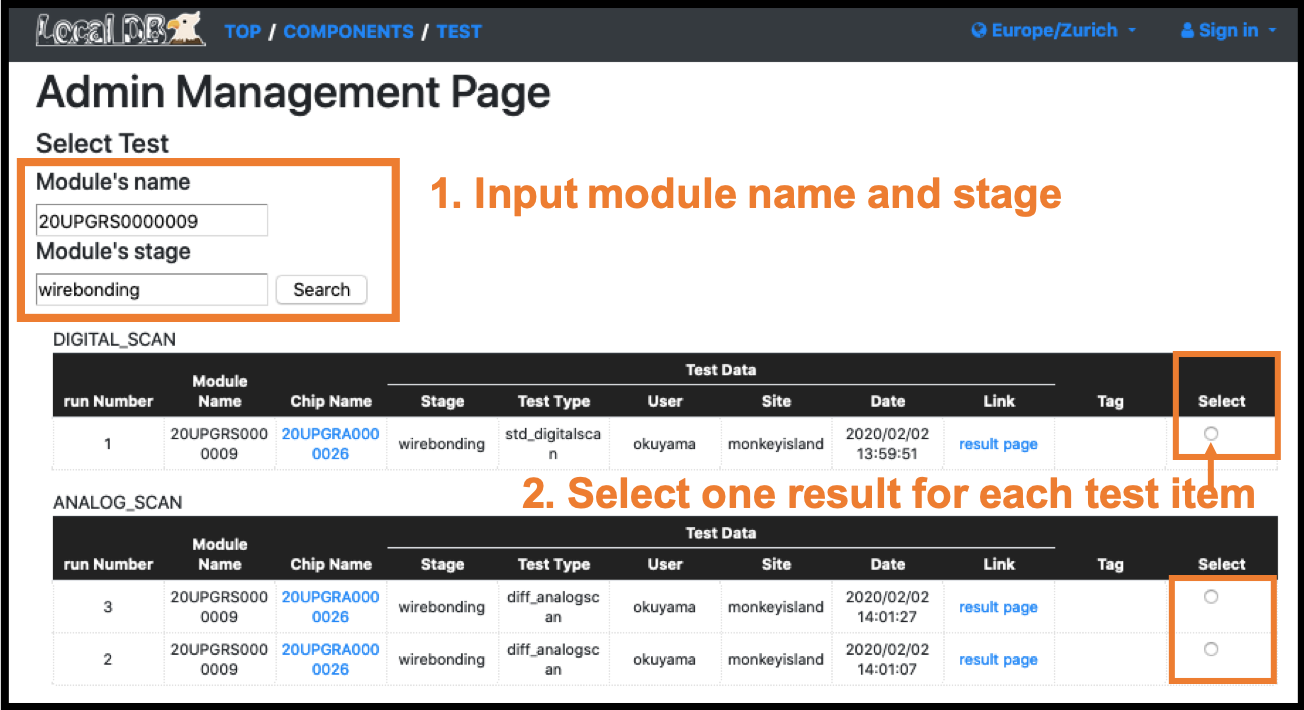
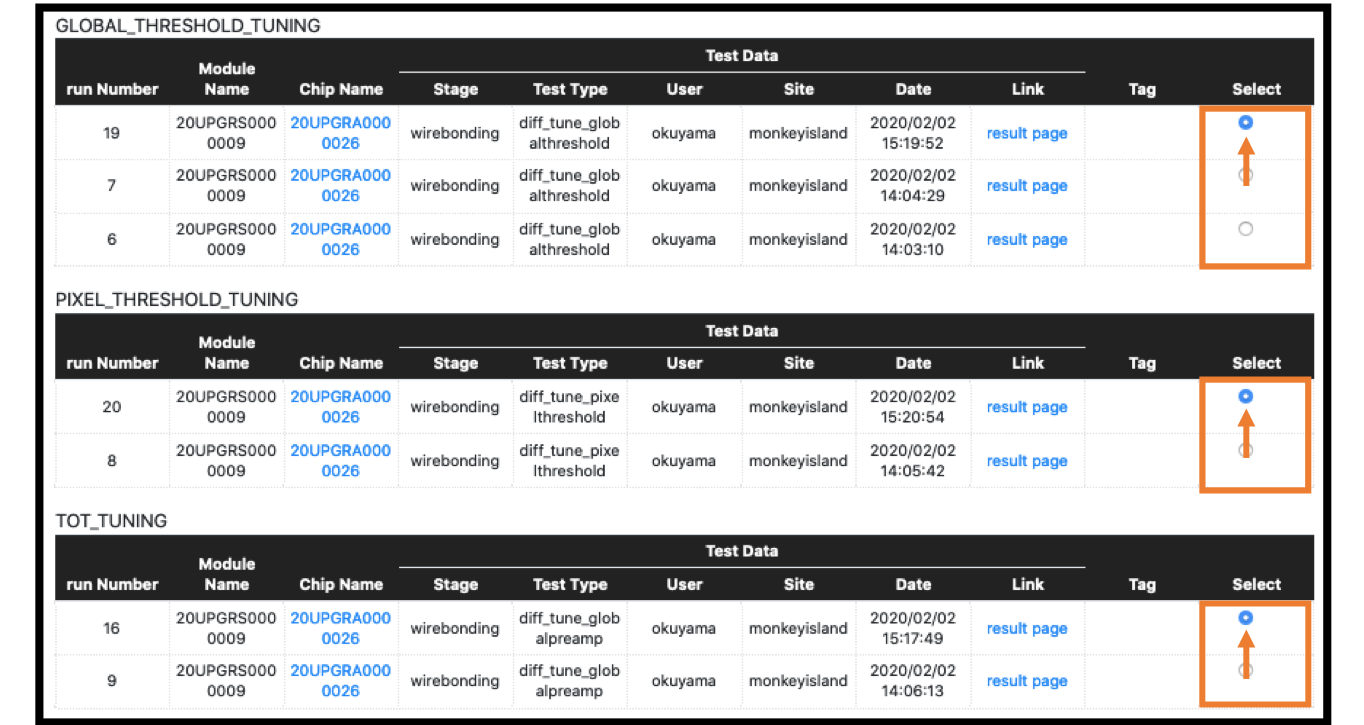
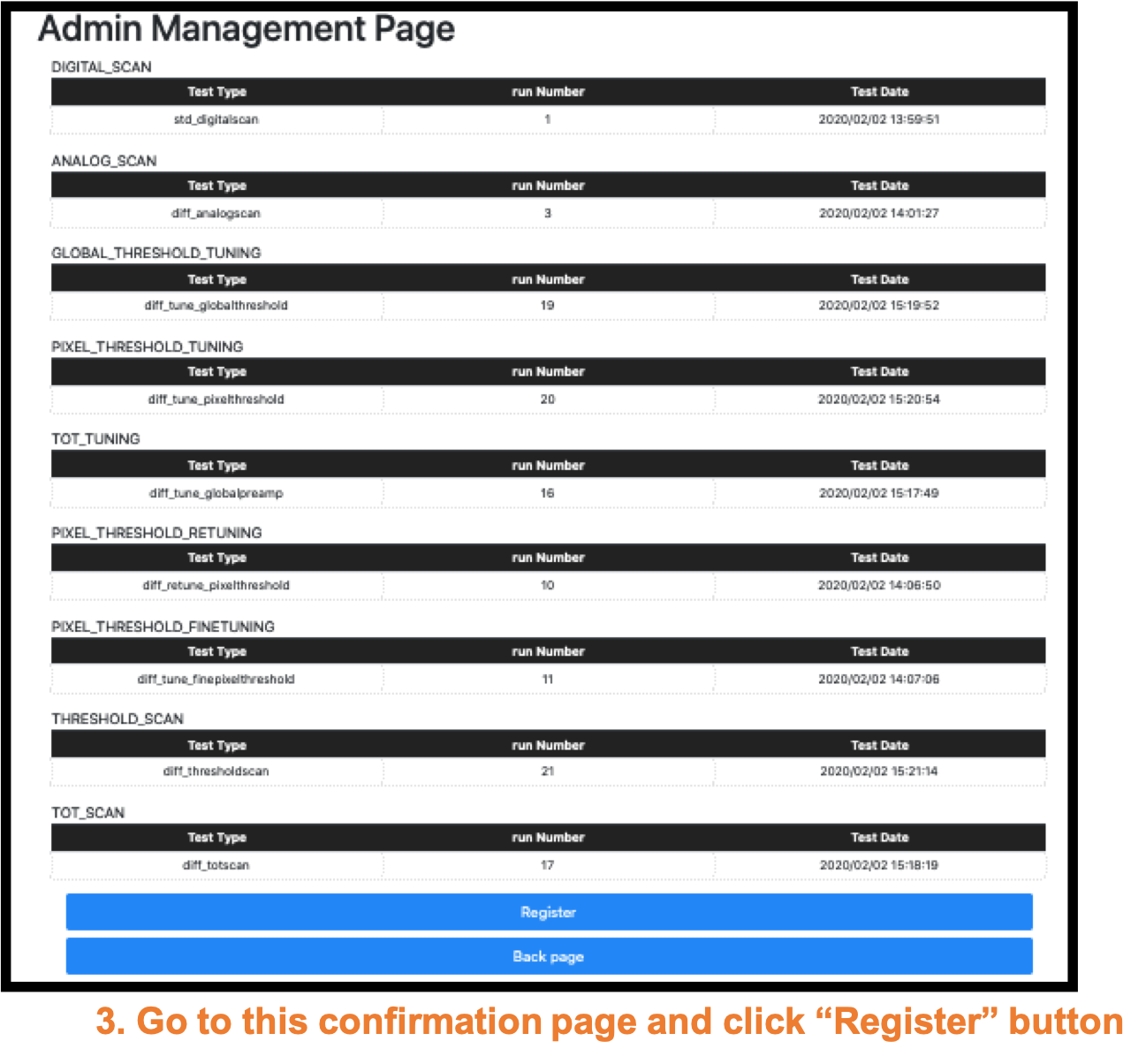
Go to the selection page http://127.0.0.1:5000/localdb/select_test
Basically, admin only can go to this page and use the interfacing functions between prodDB and LocalDB.
Input module name and stage at first.
Module:"20UPGRS0000009" or "20UPGRS0000010"
Stage:"WIREBONDING"
Go to the uploading page http://127.0.0.1:5000/localdb/upload_result
An example of uploaded result page for a front-end chip in the Production DB.
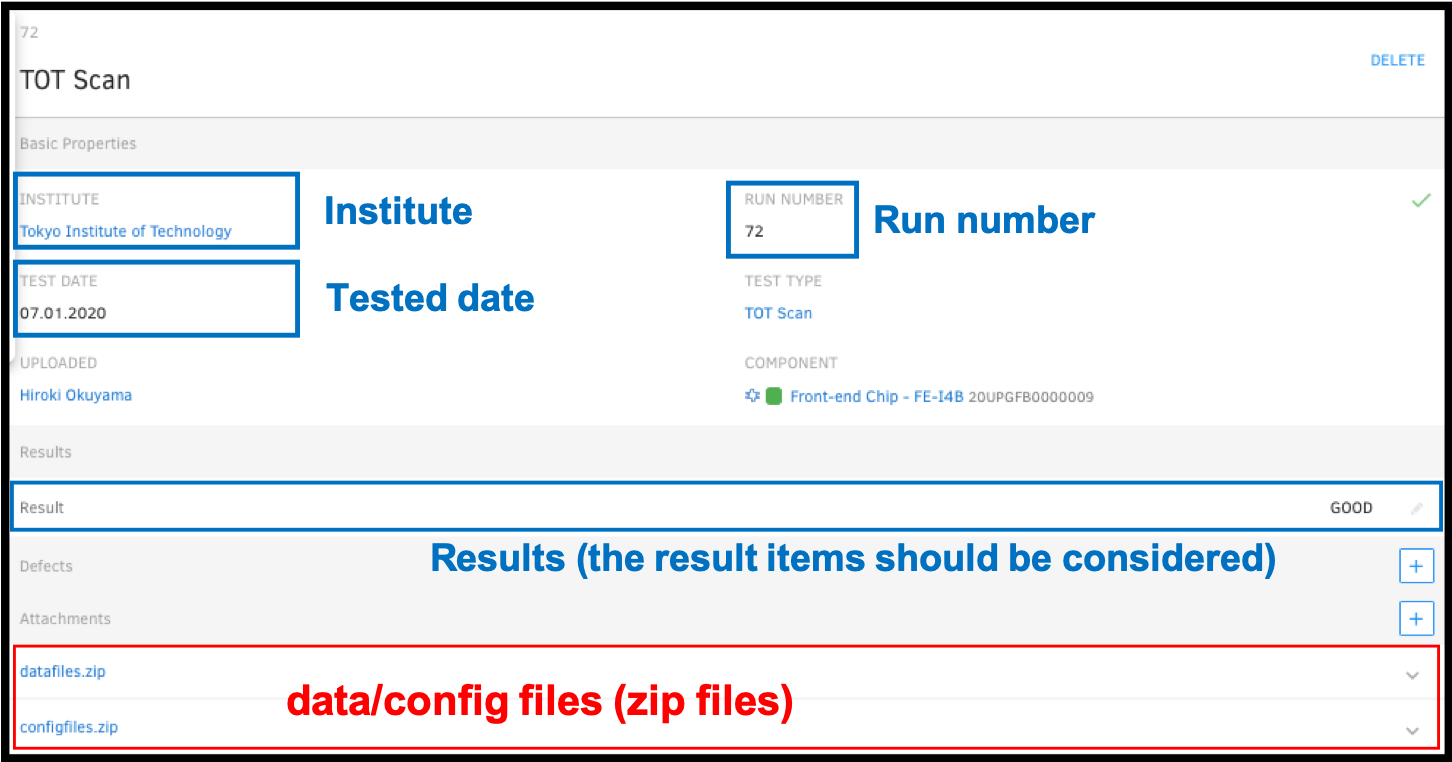
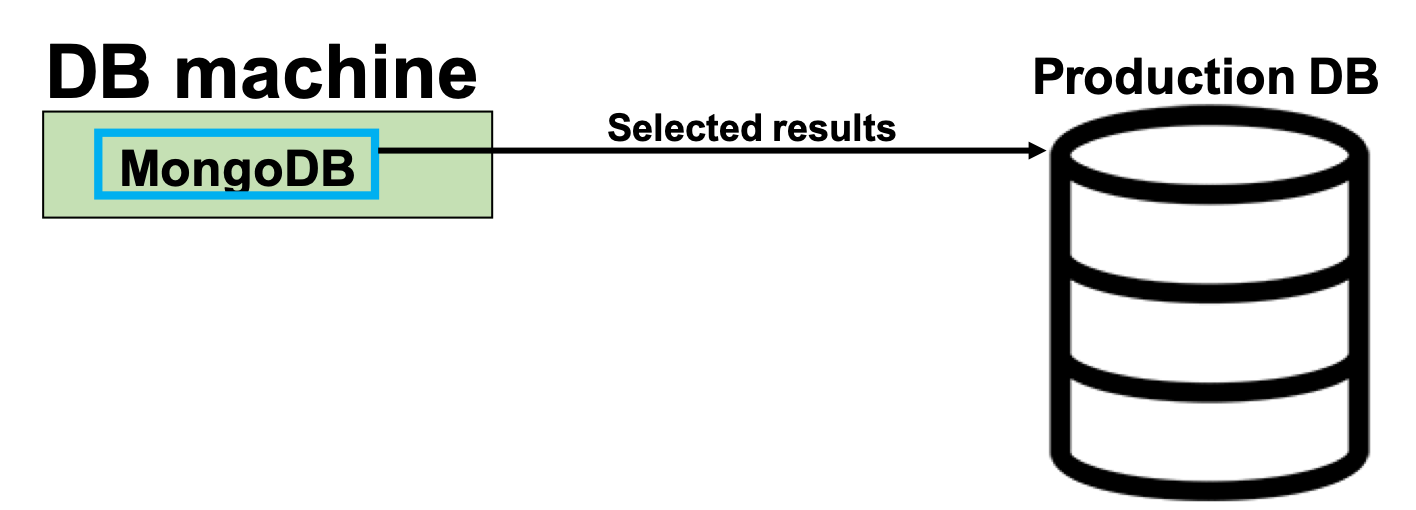
We have to consider what parameter we should upload to the production DB.
Finish this tutorial. Thank you for participating.